> ## Documentation Index
> Fetch the complete documentation index at: https://docs.directenergypartners.com/llms.txt
> Use this file to discover all available pages before exploring further.
# Power Supply
The first step in commissioning the DEP Power Platform controller is to provide it with the necessary power supply. Depending on the version of your
controller, the power-up process may vary slightly. Here, we outline the steps for each version to ensure proper power connection.
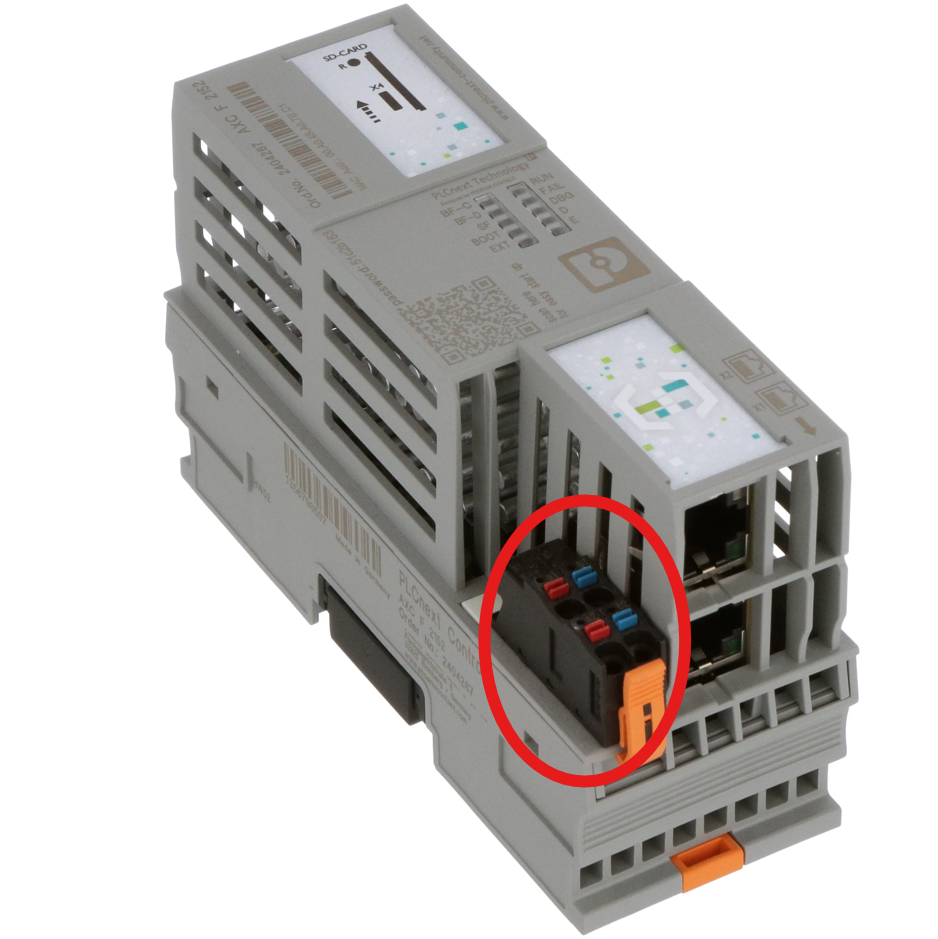
### Power Platform Controller
Connect the controller directly to a 24V DC power supply.
 ### Power Platform Panel
The Power Platform panel is equipped with two built-in Meanwell 24V DC power supplies for redundancy. This ensures that if one power supply fails,
the control panel will continue to operate using the other power supply. Additionally, the panel includes a UPS battery to provide backup power during a complete power outage.
To ensure proper operation and redundancy, follow these steps:
Connect two different voltage sources to the two Meanwell power supplies. Both power supplies can be found in the top left corner inside the PPL panel.
For optimal redundancy, connect one AC voltage source and one DC voltage source to the Meanwell 24V DC power units.
Ensure the input voltage is within the following limits for the Meanwell WDR-480-24 power supplies:
* **AC Input:** 180 – 550VAC
* **DC Input:** 254 – 780VDC
### Power Platform Panel
The Power Platform panel is equipped with two built-in Meanwell 24V DC power supplies for redundancy. This ensures that if one power supply fails,
the control panel will continue to operate using the other power supply. Additionally, the panel includes a UPS battery to provide backup power during a complete power outage.
To ensure proper operation and redundancy, follow these steps:
Connect two different voltage sources to the two Meanwell power supplies. Both power supplies can be found in the top left corner inside the PPL panel.
For optimal redundancy, connect one AC voltage source and one DC voltage source to the Meanwell 24V DC power units.
Ensure the input voltage is within the following limits for the Meanwell WDR-480-24 power supplies:
* **AC Input:** 180 – 550VAC
* **DC Input:** 254 – 780VDC