Change Admin Password
It is highly recommended to change the default password for the admin user. This enhances security by ensuring the
controller is protected with a password of your choice.
1
Login to the WBM
Login to the WBM
Login to the Web-Based Management (WBM) interface of the Power Platform controller.
2
Navigate to the Security Tab
Navigate to the Security tab in the left navigation plane and select User Management.
3
Change Password
For the admin user, click on the pencil icon next to the user name to edit.
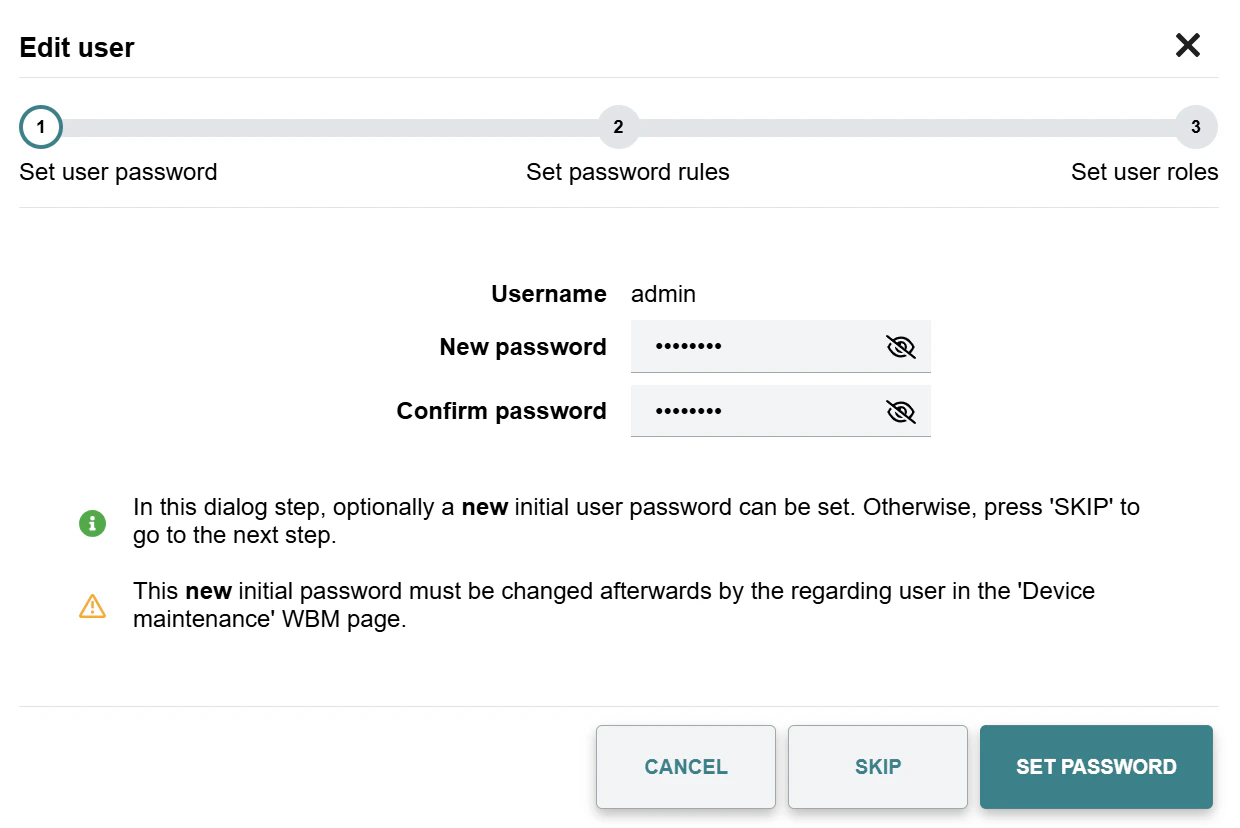
Type in the new password for the admin user and confirm.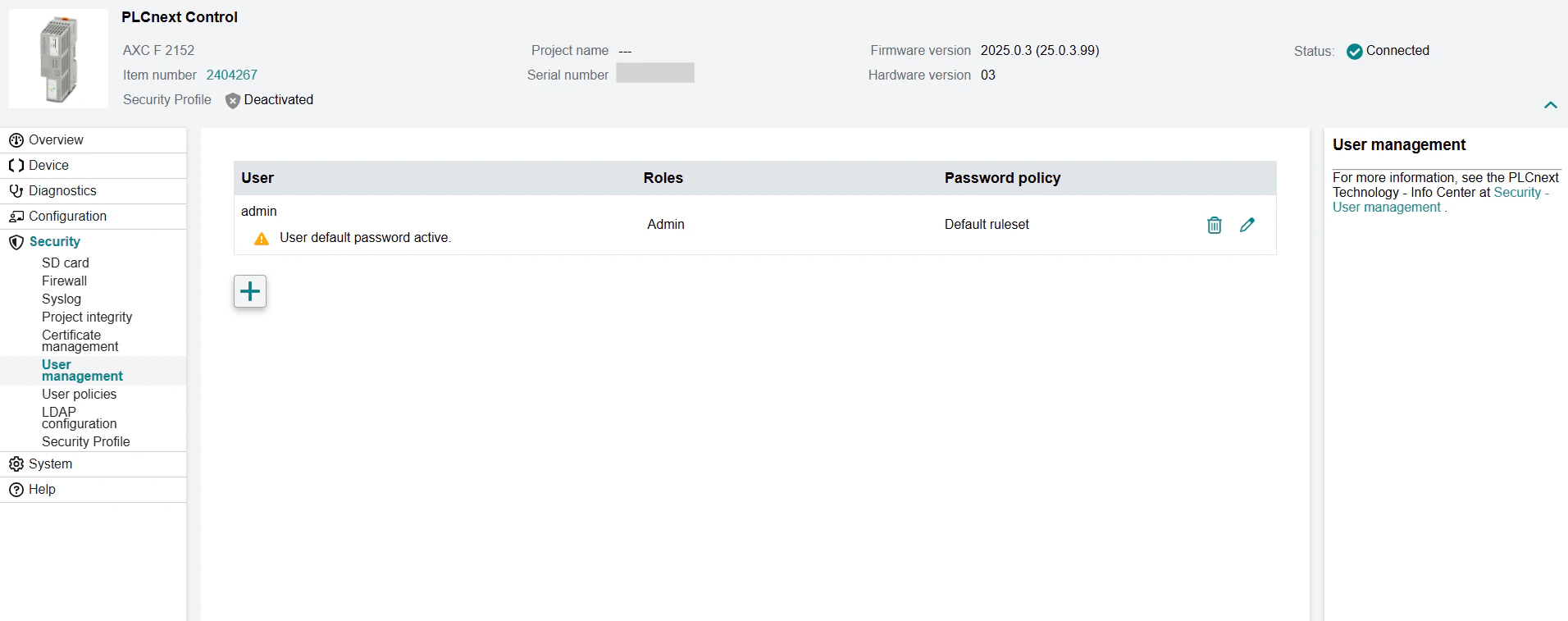
4
Set Password
Press the Set Password button to save the new password.