Change Network Settings
1
Login to the WBM
Login to the WBM
Login to the Web-Based Management (WBM) interface of the Power Platform controller.
2
Navigate to the Configuration Tab
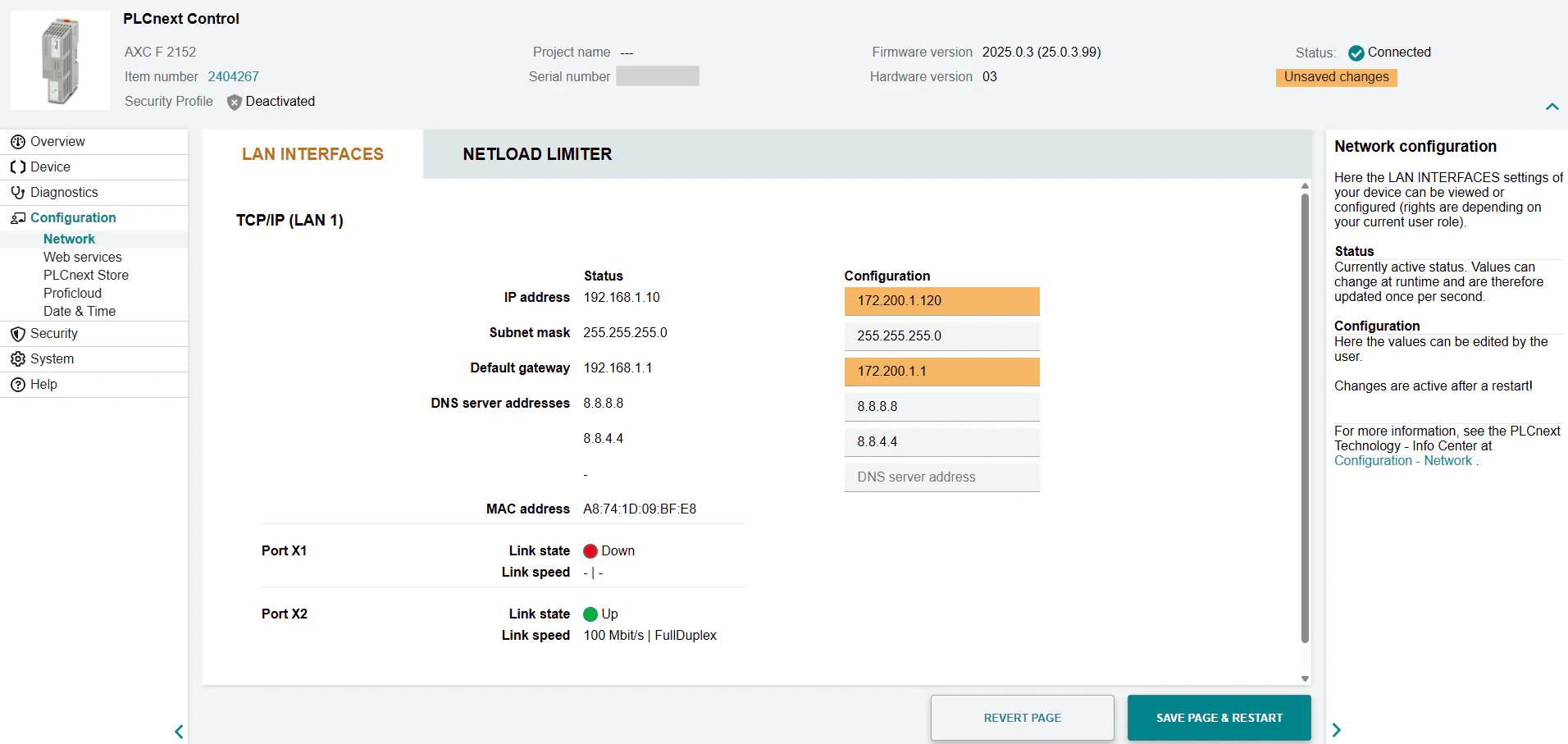
Navigate to the Configuration tab in the left navigation plane and select Network.
3
Update Network Settings
Update the IP address, subnet mask, and default gateway to match your local network. For example:
- IP address:
172.200.1.120 - Subnet mask:
255.255.255.0 - Default gateway:
172.200.1.1
4
Save Page & Restart
Click Save Page & Restart. The controller will reboot with the new settings and become visible on your local network with the newly set IP address.